


Features » Sync your data with your mobile phone |
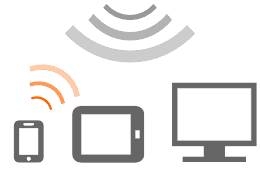
After each synchronization your mobile phone and Memotoo will have the same data!
Whenever you add, modify or delete data (an event, a task, a contact, or a note) your mobile phone and Memotoo will exchange only modified data and their contents will be identical.
  |
|
Memotoo compatible with:
Acer - Alcatel - Apple - Archos - Asus - Audiovox - BenQ - BlackBerry - Dell - Dopod - HP - HTC - Huawei - Jolla - LG - Lenovo - Motorola - NEC - Nokia - Palm - Panasonic - Sagem - Samsung - Sendo - Siemens - Snom - SonyEricsson - T-Mobile - Toshiba - Vertu - ViewSonic - Vodafone - Wiko - Windows - ZTE - I-mate - Windows Mobile - ... |
|


Synchronization settings SyncML:
| Server location | http://sync.memotoo.com/syncml | |
or  SSL: SSL: |
https://sync.memotoo.com/syncml (SSL problem?) | |
| Port number | 80 or 443 |
|
| Username | Your username Sign Up | |
| Password | Your password | |
| Database name (URI) to sync: | ||
 |
Bookmarks | bmark |
 |
Contacts |
contact
|
 |
Calendar / events |
calendar or caltask to sync "Calendar / events" and "Tasks" in the same database
|
 |
Tasks | |
 |
Notes | |
 |
SMS |
sms
|
 |
Files | file |
 |
Pictures | picture |
 |
Videos | video |
List of compatible SyncML, CardDAV, CalDAV, ActiveSync, Exchange, ... plugins: |
|||||||||||||||||
See also:
|
|||||||||||||||||


 Funambol (Recommended)
 Nexthaus SyncJe