Features » Access your contacts using a LDAP directory

A LDAP directory is a system to store data that can communicate with the majority of e-mail clients. Here this system is simulated so you can access your Memotoo address book directly in your e-mail client!

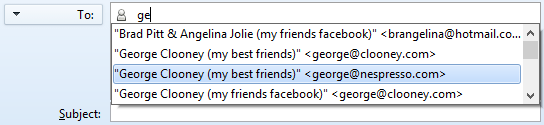
With Mozilla Thunderbird you can access your Memotoo
contacts directly when you start typing an e-mail address:
Access your contacts using a LDAP directory
» Mozilla Thunderbird will show suggested e-mail addresses stored in Memotoo!

How to set it up:
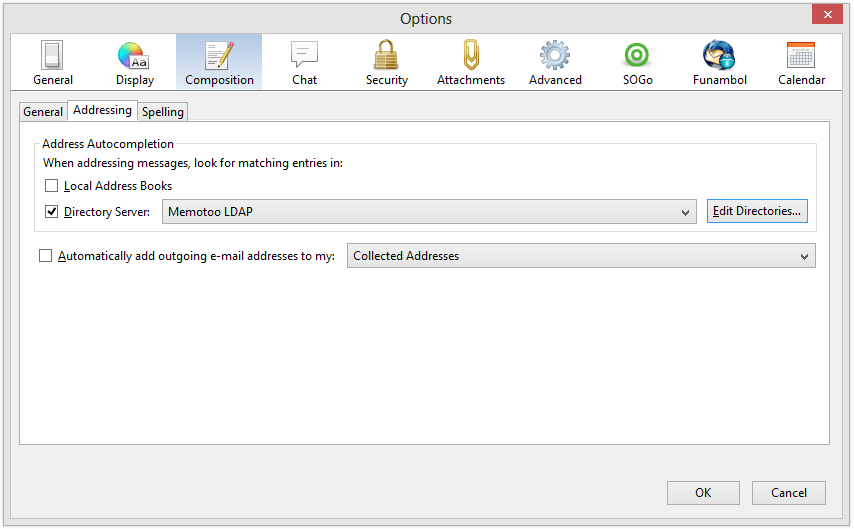
  • Go to "Options" in the "Tools" menu

  • In "Composition" check the "Directory Server" box and click "Edit Directories..."
    In
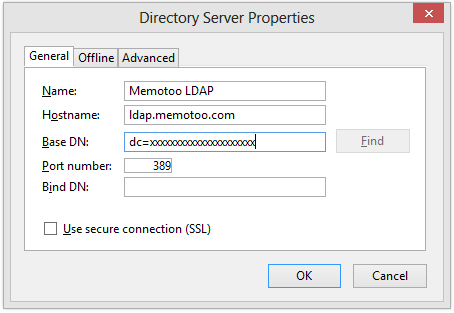
  • Next add the directory server (complete with settings below)
    Next add the directory server (complete with settings below)
    LDAP directory address / Hostname ldap.memotoo.com
    Port number 389
    Base name / Base DN dc=9c6089bedaaee59f09bcdce487972160
  • To test if it's OK write a new e-mail, start typing the beginning of a name or e-mail address of one of your contacts in the "To:" field and wait until Thunderbird shows a list of suggested contacts (this could take few seconds).
    Access your contacts using a LDAP directory

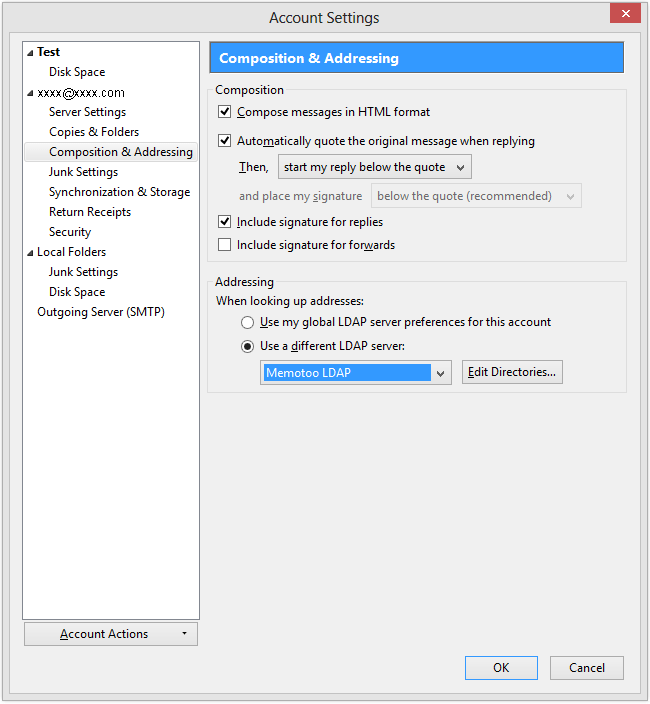
  • If the text that you typed becomes red it means Thunderbird cannot connect to Memotoo: check your configuration in "Account Settings ..." with the image below:

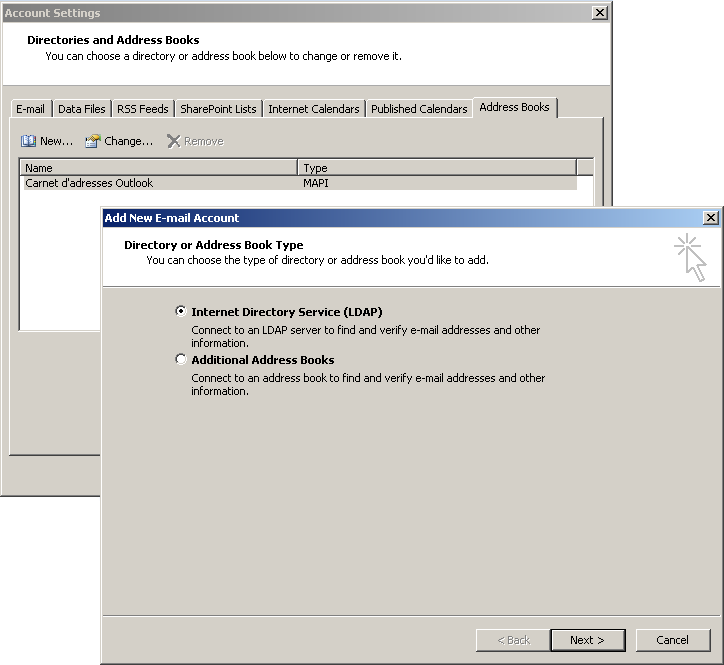
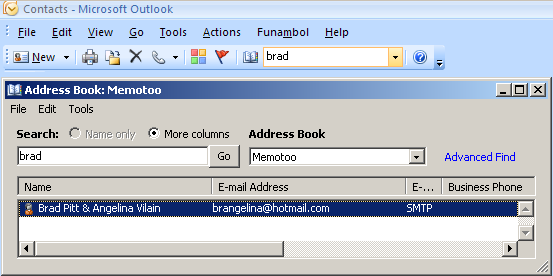
Search contacts stored in Memotoo with Outlook or Outlook
Express
directly with the function "Search contacts"!
Access your contacts using a LDAP directory

How to set it up:
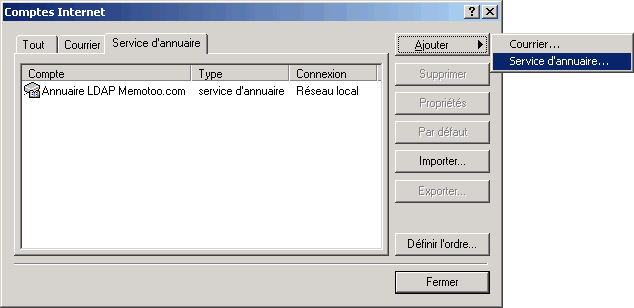
  • Go to "Accounts" in the "Tools" menu

  • Click "Directory Server" and click "Add"
    Click or Click
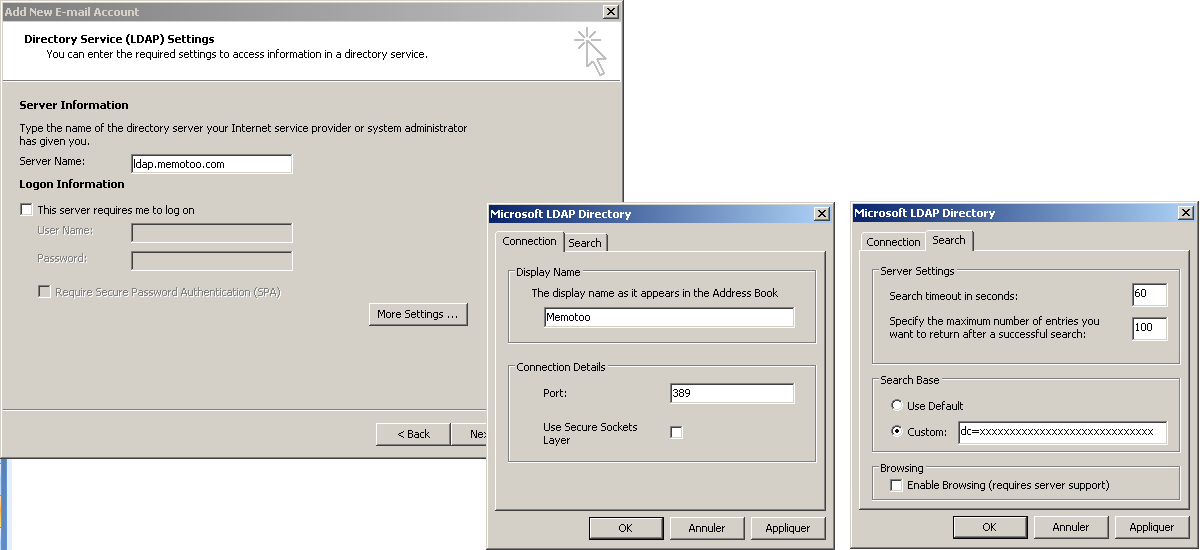
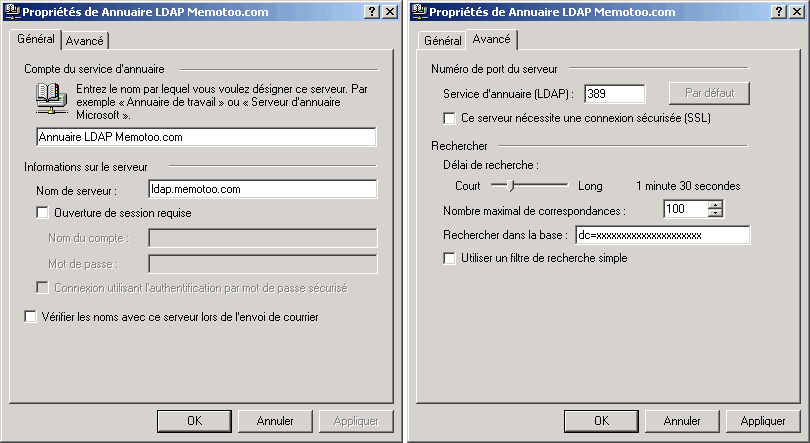
  • Next add the directory server (complete with settings below)
    Next add the directory server (complete with settings below) or Next add the directory server (complete with settings below)
    LDAP directory address / Hostname ldap.memotoo.com
    Port number 389
    Base name / Base DN dc=9c6089bedaaee59f09bcdce487972160
In the Mail software in Mac OS X, you can access your Memotoo
contacts directly when you start typing an e-mail address:
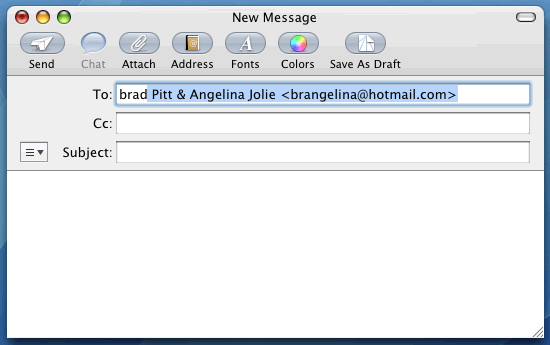
Access your contacts using a LDAP directory
» The software will show suggested e-mail addresses stored in Memotoo!

How to set it up:
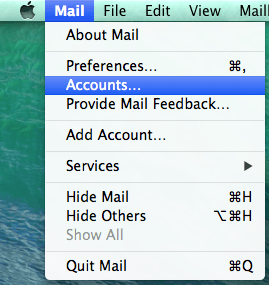
  • Open the Address Book and go to "Preferences" in the "Address Book" menu
    Open the Address Book and go to
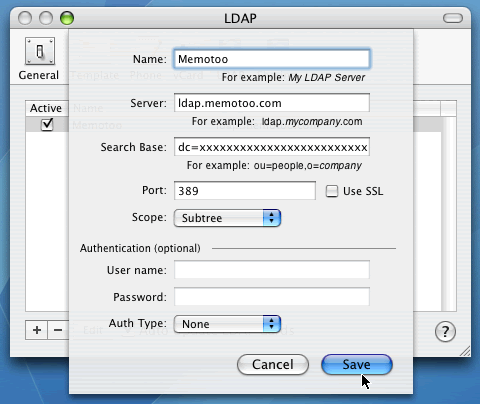
  • In "LDAP", next add the directory server (complete with settings below)
    In
    LDAP directory address / Hostname ldap.memotoo.com
    Port number 389
    Base name / Base DN dc=9c6089bedaaee59f09bcdce487972160
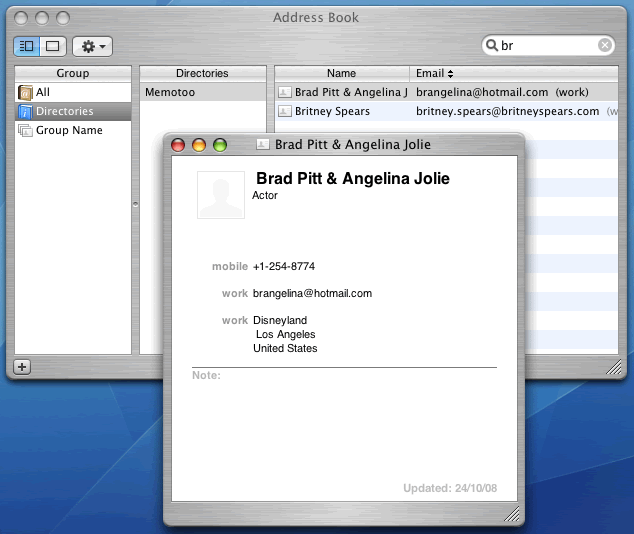
  • To test if it's OK, enter a name to search in the search engine of the Address Book:
    To test if it's OK, enter a name to search in the search engine of the Address Book

 
Settings to enter in your e-mail client application:
LDAP directory address / Hostname ldap.memotoo.com
Port number 389
Base name / Base DN dc=9c6089bedaaee59f09bcdce487972160


If you want to limit the search to specific contact groups enter this in "Base name / Base DN":

ou=groupe1,ou=groupe2,dc=9c6089bedaaee59f09bcdce487972160

(replace "groupe1" and "groupe2" with the name of one of your groups)


Impossible to connect to LDAP directory if you use an Internet proxy

© 2001-2010 Memotoo - All rights reserved - Contact - Terms and Conditions - Privacy Policy